HOW TO CUSTOMIZE
Make Banki your own website
This guide shows how to turn the Banki website template into your fintech or banking site. You can build with Framer’s AI agent, edit by hand, or both.
STEP 1
Get the template
1. Open Banki on the Framer Marketplace and click Get template.
2. Framer makes a full copy in your workspace: pages, CMS, styles and components.
3. Open the copy. Everything below happens inside that project.
STEP 2
Build with the AI agent
1. Open Framer’s AI agent in the editor.
2. Type /design-system and describe the page or section you want.
3. The agent reads the design-system skill and the Design System page, so it uses Banki’s own colours, text styles, buttons and cards.
/design-system
Create a security page: a hero, three Features Card instances about keeping data safe, and a Button/Primary to contact sales.
/design-system
Add a stats row with four Stats Widget instances on a Dew White background.
/design-system
Add a pricing section with three Pricing Card instances and a FAQ Block below it.
/design-system
Build a careers teaser with two Career Card instances and a Button/Outline to see all roles.
STEP 3
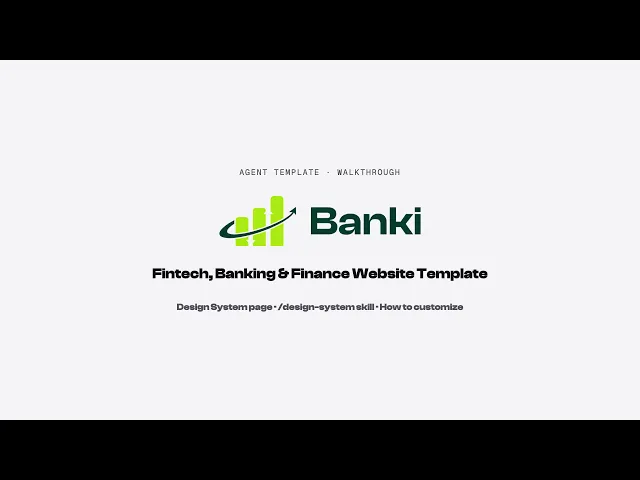
Watch the walkthrough
A short screen recording of the kit: the Design System page, the design-system skill and a quick edit by hand.
STEP 4
Edit by hand
Colours: Assets › Colors. The styles are grouped as Brand, Text, Surface, Line, Base and State. Change the lime once and the whole site follows.
Fonts: Clash Display for headings and Inter for body text, set in Assets › Text Styles. Change a style once and every page follows.
Text and images: double-click any layer on the canvas.
CMS: Blog, Blog Category, Career, Career Ticker and Privacy Policy live in the CMS tab. Add or edit items there.
Forms: the forms on Home, Features and a career page, and the newsletter in the footer. Select each form and set Send To to your own address.
SEO: Site Settings › General for the site title and description, and each page’s settings for its own title.
STEP 5
Design system
The Design System design page has six boards: How to Use, Colors, Typography, Components, Layout Rules and Example Page. Open it from Design pages in the left panel.
The same rules are in the design-system skill under Settings › Skills.